The Goal Based Financial Planner is a lightweight, front-end-only tool for setting financial goals and figuring out how much to invest each month across different instruments. It takes your goal amount, timeline, and allocation preferences — and produces a monthly investment breakdown.
That’s been the core of it for a while. The missing piece was the other side of the equation: what are you actually investing? The plan exists, but are your real SIPs anywhere close to it?
That’s what this update adds.
Add your SIPs
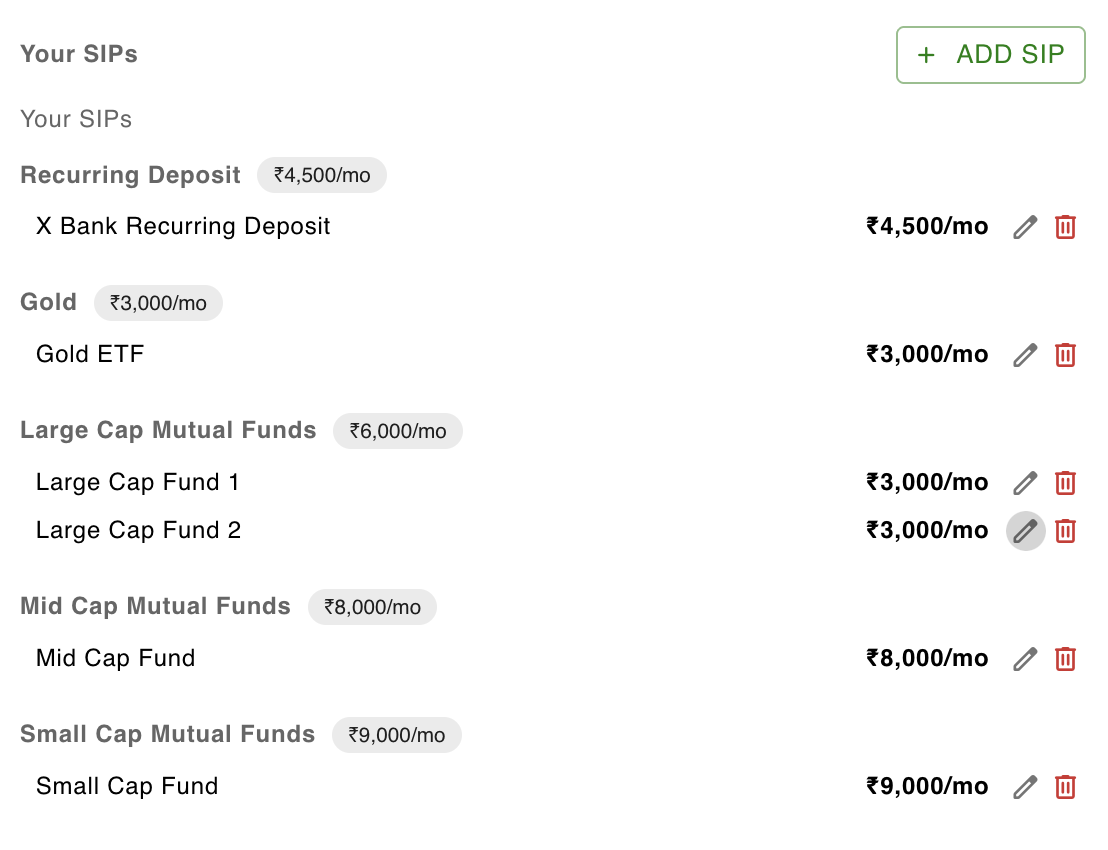
The new Investment Tracker tab lets you log your actual SIPs — what you’re investing, how much, and through which fund or instrument. You can add multiple SIPs under the same instrument type, edit them, or remove them whenever things change.
It’s intentionally simple — just enough to capture what you have running without turning it into a portfolio management tool.
See how you compare, instrument by instrument
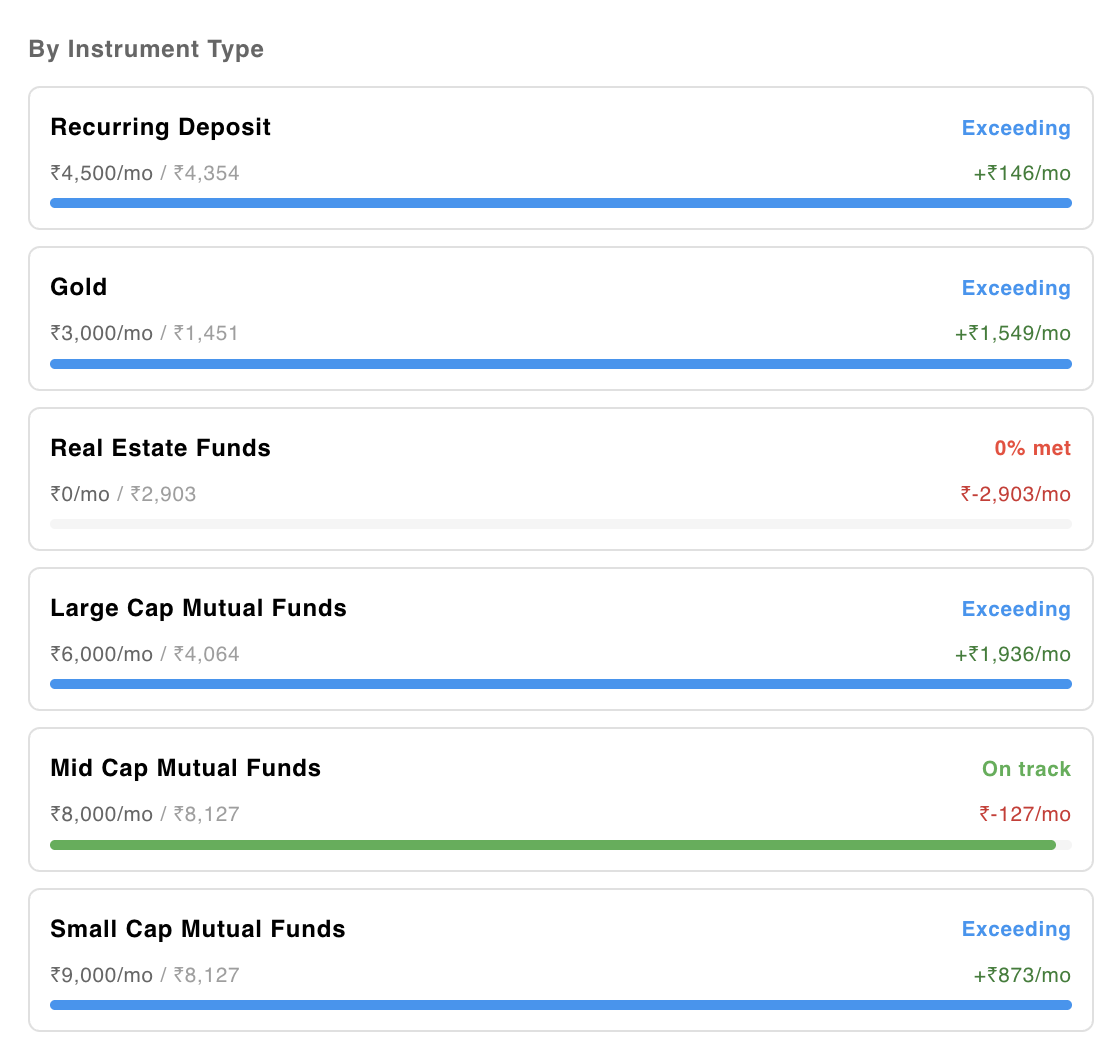
Once your SIPs are in, the By Instrument Type panel lays out each instrument from your plan next to what your SIPs currently cover. The status — exceeding, on track, or short — is shown alongside the monthly difference.
This makes it easy to spot which categories you’ve over-allocated and which ones you haven’t touched yet. In the screenshot below, Real Estate Funds shows 0% met while Large Cap is exceeding — that’s the kind of gap that’s easy to miss when you’re managing SIPs across multiple platforms.
Portfolio growth projection
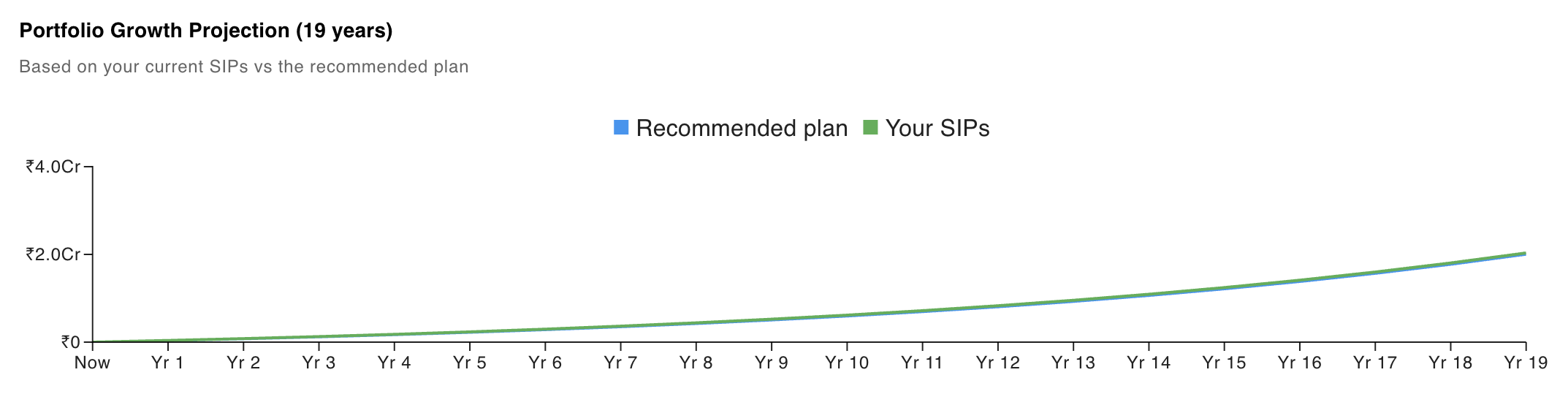
The chart at the top projects your portfolio value over the goal’s full timeline — one line for the recommended plan, one for your current SIPs.
If the lines overlap, you’re largely on track. If they diverge, you can see roughly when the gap starts to open up. It’s a rough projection based on expected returns, not a guarantee, but it gives a useful sense of where you’re headed relative to where the plan expected you to be.